
The “Top Picks” Section
WordPress Has Been Missing
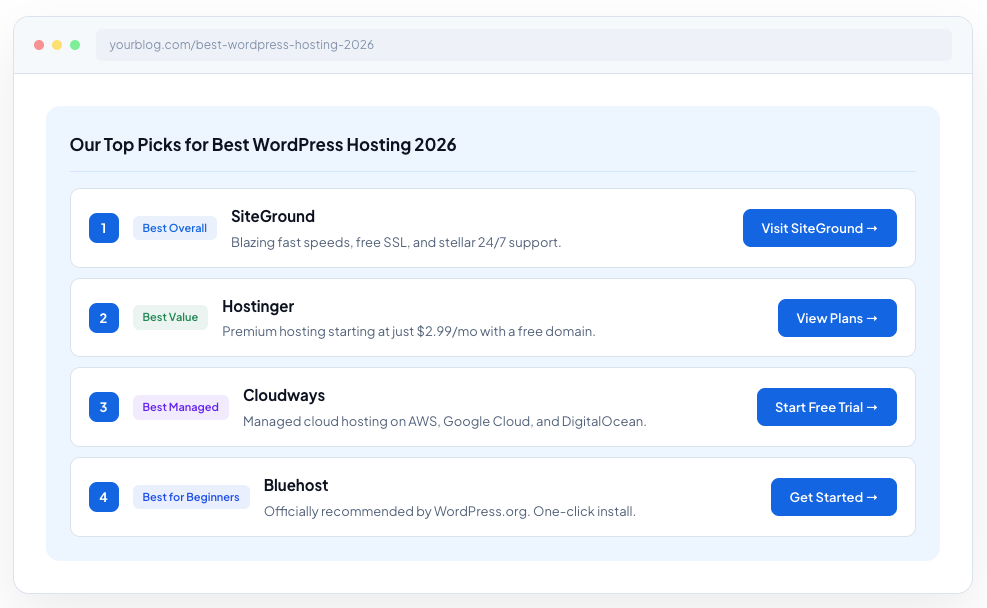
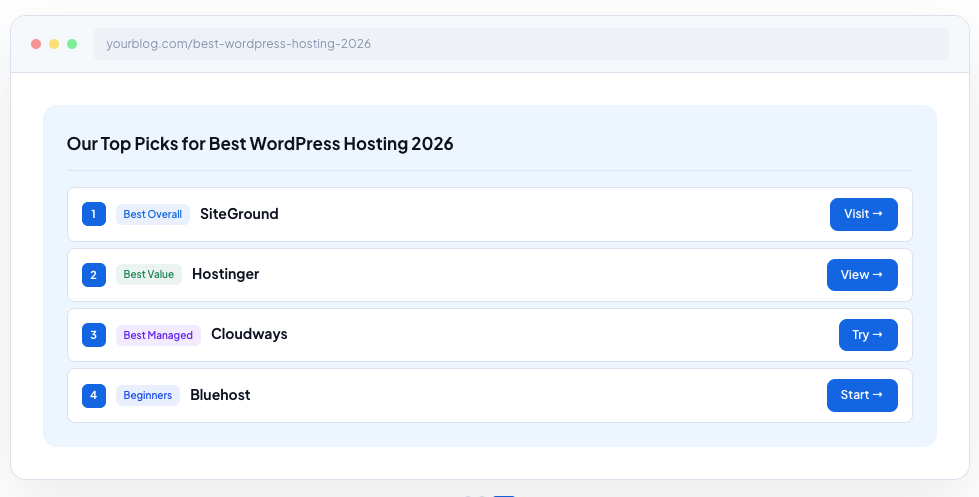
Create beautiful editorial pick cards for your listicle articles the same pattern used by Wirecutter, WPBeginner, and TechRadar. One Gutenberg block. Zero JavaScript. Works with any theme.
Layout Templates
Frontend JavaScript
Cards Per Block
Free & Open Source

Everything You Need. Nothing You Don’t.
Built specifically for affiliate marketers, review bloggers, and anyone who publishes “Best X” listicle articles.3 Layout Templates
Horizontal cards (Wirecutter-style), vertical grid, and compact list. Switch between them with one click in the sidebar.
Custom Badges
8 presets “Best Overall”, “Best Value”, “Editor’s Pick” plus fully custom badge text and colors for each card.
Product Logos & Images
Upload logos or product images per card. Control size (auto to 100% width), position, and style (clean, rounded, or circle).
Full Card Styling
Border (4-sided), border radius (4-corner), box shadow with X/Y/blur/spread/color/inset pixel-perfect control.
Affiliate-Ready Links
Built-in rel=”sponsored” and rel=”nofollow” toggles per card. Custom CTA button text and URLs. Filled or outline button styles.
Per-Element Spacing
Individual margin and padding (top/right/bottom/left) for badge, image, title, description, button, and section — with px, rem, em, % unit support.
Fully Responsive
Cards stack on mobile, sit side-by-side on desktop. Grid columns adjust automatically or set a fixed count (2-5).
Zero Frontend JavaScript
The entire output is server-rendered PHP and CSS. No JS files loaded on your public site. Lightning fast.
Section Styling
Background color, border (4-sided), border radius (4-corner), and spacing controls for the entire picks container.
From Install to Published in 2 Minutes
No configuration pages. No setup wizards. Just a Gutenberg block.Install & Activate
Upload the plugin or install from WordPress.org. Activate it. Done no settings page needed.
Add the Block
In the Gutenberg editor, search for “Top Picks” and add it to your post. A starter card appears immediately.
Fill In Your Picks
Add product names, descriptions, badges, logos, and CTA links. Click “+ Add Pick Card” for more cards (up to 5).
Style & Publish
Choose a layout, adjust colors and spacing in the sidebar, then hit Publish. Your “Top Picks” section is live.
Perfect For Every Niche
TopPicks works for any content format where you recommend products, services, or resources.“Best X for 2026” Listicles
The #1 use case. Best hosting, best email tools, best project management software every affiliate article needs this section.
Product Roundups
“Top 5 wireless earbuds”, “Best budget laptops under $500”. A quick-pick summary before the deep-dive review.
Service Recommendations
Consultant and agency blogs: “Our recommended CRM stack”, “Tools we use and love.” Builds trust with structured picks.
WooCommerce Staff Picks
Curated “Staff Picks” or “Editor’s Choice” sections on shop pages. Highlight your best products with CTA buttons.
Travel & Gear Guides
“Our favorite camping gear”, “Top restaurants in Barcelona.” Works for any niche, not just tech.
Course & Book Lists
“Best online courses for Python”, “Must-read books for founders.” Each pick card links to the resource.
